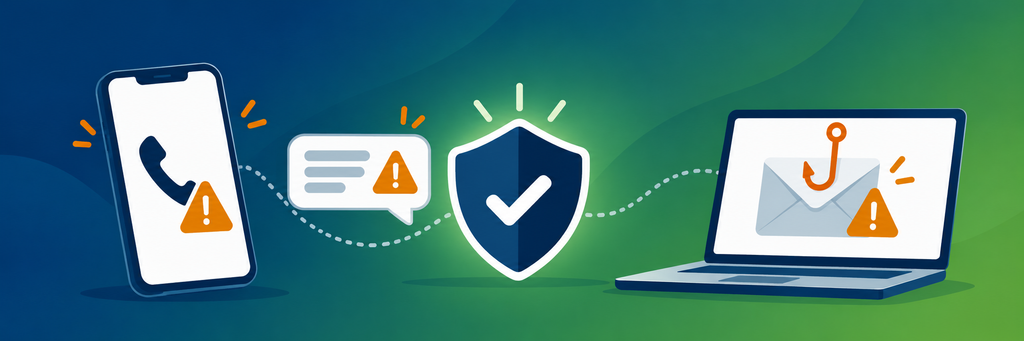
Scammers impersonate organisations people trust, including health services, and some of these messages are convincing. If you receive something that claims to come from us and you are unsure, please call your practice. We are happy to check it for you.
What we will never do
- Ask you for a password, PIN or verification code, whether by email, text message or telephone
- Send you an attachment or a shared folder invitation you were not expecting
- Pressure you to act within minutes, or tell you that your access to care is at risk
Checking who sent a message is not enough
Since 1 July 2026, text messages sent using a sender name that is not registered on the national SMS Sender ID Register display the word “Unverified” in place of the brand name and are grouped together with messages from other unregistered senders. An “Unverified” label is a reason to check before acting. It is not, on its own, proof that a message is a scam.
It is therefore worth considering not only who a message appears to be from, but what it asks you to do and whether you were expecting it.
What to look for
- Attachments you were not expecting, including zip files
- Invitations to open a shared folder or file
- Pages asking you to sign in before a document will open
- Requests for passwords, PINs or verification codes
- Requests for payment by gift card, preloaded card or cryptocurrency, or to a new account or PayID
- Requests to scan a QR code in order to sign in
Correct spelling and grammar no longer indicate that a message is genuine.
Checking a message safely
Nothing within a suspicious message should be used to check it: not the link, not the reply address, not the telephone number. If a message is not genuine, the contact details it contains will not be genuine either, and a number printed in a scam message reaches the person who sent it.
Open a new browser window and type our website address yourself, rather than following a link or using a saved result. Find your practice, call the number listed there, and ask us whether the message came from us.
If someone telephones stating they are from the practice and you are not certain, you are welcome to end the call and ring us back on the number listed on our website.
If you have already clicked or shared something
- Contact your bank if you entered any payment details.
- Change your passwords, beginning with your email account.
- Run a security scan on the device you used.
IDCARE, the national identity and cyber support service, will help you put a plan in place at no cost on 1800 595 160. Scams can be reported to Scamwatch, and losses through ReportCyber.
Offers to help recover money you have lost should be treated with caution. That offer is itself a common scam.
Talking to us
Our practice numbers are listed on our website. Reception can confirm whether an email, text message or telephone call came from us.
If you have received something that claims to come from us and you consider it to be unusual or unexpected, please tell us, even if you have already deleted it. It helps us understand how widely a message has been sent.
Sources
Scamwatch, Help to spot and avoid scams: https://www.scamwatch.gov.au/
Scamwatch, Methods scammers use: https://www.scamwatch.gov.au/
Scamwatch, In your language, scam information: https://www.scamwatch.gov.au/
Australian Communications and Media Authority, SMS Sender ID Register goes live: https://www.acma.gov.au/
Australian Signals Directorate, Australian Cyber Security Centre, Recognise and report scams: https://www.cyber.gov.au/
Australian Signals Directorate, Australian Cyber Security Centre, Report and recover from scams: https://www.cyber.gov.au/
IDCARE: https://www.idcare.org/
